Quickstart
Connect an agent in four steps, then see its first decision in Halto.
Get an agent key
Create a free account, add an agent and copy its key from Agents → your agent → Connect.
Keys start with hk_; keep yours in an environment variable.
export HALTO_API_KEY="hk_…"Install an SDK
Node.js 18+ or Python 3.9+, or call the REST API from anything else.
npm install @halto/sdkAsk before the agent acts
Run the action only on allow, with the parameters Halto returns.
import { Halto } from "@halto/sdk";

const halto = new Halto({ apiKey: process.env.HALTO_API_KEY! });

const r = await halto.check({
  tool: "stripe",
  action: "issue_refund",
  params: { amount: 240, currency: "USD", order_id: "A-1042" },
});
if (r.decision === "allow") await refund(r.finalParams);
else console.log(`Halto said ${r.decision}: ${r.reason}`);
Hide personal data from your model
One session per conversation, so what the model read counts for what it does next.
const run = halto.session();
const safe = await run.protect(email.body, { type: "email", origin: email.from });
// give safe.content to your model:
// "Hi, this is [[NAME_P4X9A]] ([[EMAIL_K7Q2M]])…"

// Runs only if Halto allows, with the real values:
await run.guard(
  { tool: "gmail", action: "send_email", params: { to: email.from, subject, body } },
  (_r, params) => sendEmail(params),
);- Both SDKs retry network errors, 429 and 5xx with backoff.
- Every method of both SDKs is on SDKs; every endpoint is in the API reference.
You're done
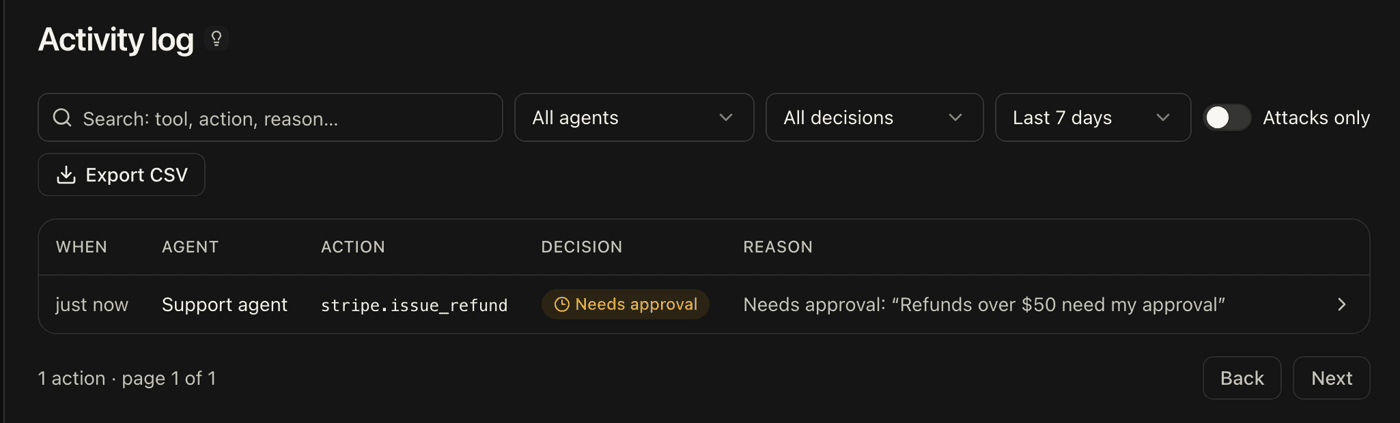
Open Activity log in Halto: the check is there, with Halto's decision and its reason.